
Table of Contents
AI chatbots are now part of everyday life. People use them to learn, work, research, and get quick answers. Businesses use them to support customers and handle tasks faster. With so many conversations happening every day, managing those chats has become important.
This article explains what an AI chatbot conversation archive is and why it matters. You’ll learn how to archive chatbot conversations, store them safely, and organize them for future use. We’ll also cover how to access archived chats, delete conversations when needed, and protect your data.
Whether you use chatbots for personal tasks or business work, this guide will help you understand how conversation archives work and how to manage them the right way.
What Is an AI Chatbot Conversation Archive?
An AI chatbot conversation archive is a system that stores and organizes chatbot interactions. It allows businesses and users to keep a record of past conversations for easy access.
Archiving helps businesses manage chat history and quickly retrieve important information for customer service or data analysis. It’s also useful for personal use, helping you track and review past chats.
These conversations are stored securely, either in the cloud or in local databases, making them easy to access when needed. Archived chats can also be analyzed to improve customer experience.
You May Like This: Why Can’t I Upload Images to DeepSeek?
Why Archive AI Chatbot Conversations?
Archiving chatbot conversations benefits both businesses and individuals. For businesses, it improves customer service and helps solve common issues. For personal use, it allows easy access to past chats and keeps important information organized.
Conversation logs help identify trends and improve chatbot responses. Archiving is also essential for compliance in industries like healthcare and finance.
Additionally, archived chats play a key role in AI model training, improving chatbot performance over time.
How to Archive AI Chatbot Conversations?
Archiving AI chatbot conversations can be done in several ways, depending on the platform and your needs. Below, we’ll explain the most common methods for saving and organizing chatbot interactions.
Using Platform Settings
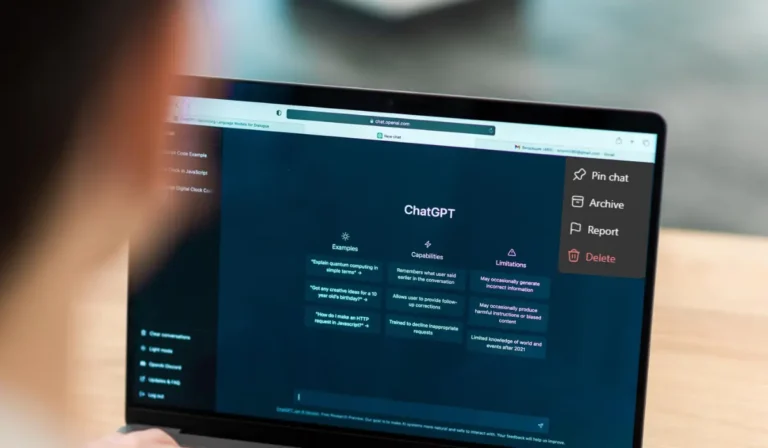
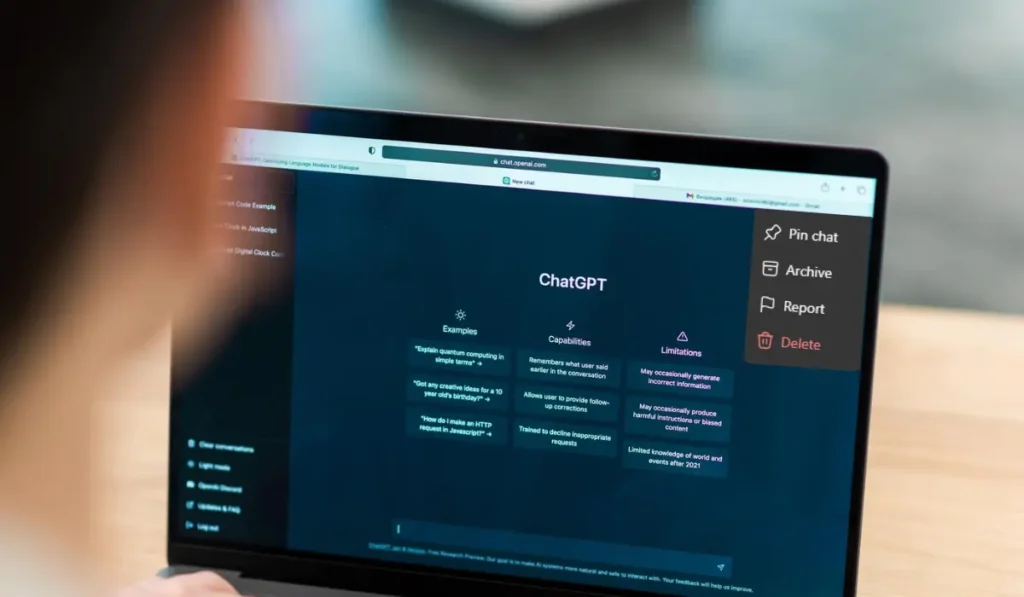
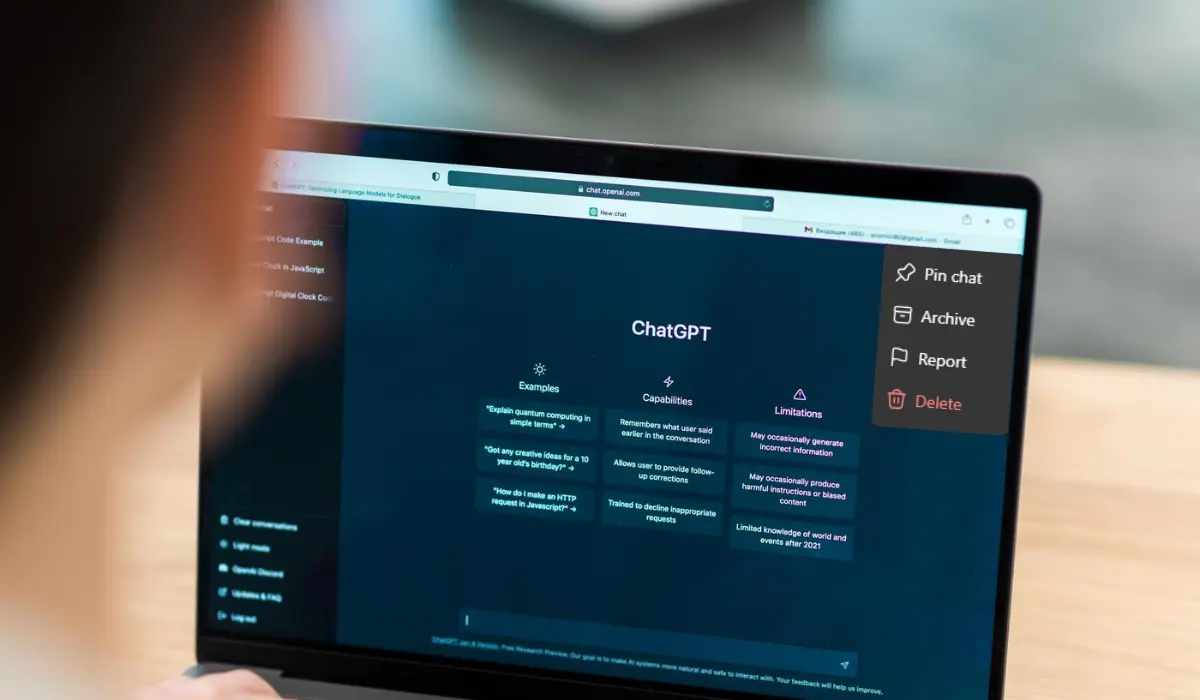
Most AI platforms like ChatGPT have built-in options for archiving chats. Here’s how you can do it:
- In the chat window, click on the “Three Dots” in the top right corner.
- A menu will appear. Select the “Archive” option.
- Your chat will then be stored in the archive for easy access later.
This built-in archiving feature is quick, reliable, and works well for both personal and business use.
Manual Archiving Options
For certain needs, manual methods can be useful. Here are a few options:
- Screenshots: Capture key parts of a conversation for future reference.
- Transcripts: Copy and paste the entire conversation into a text file for a detailed record.
- Logs: Some systems automatically generate chat logs that you can save in a database or text document.
These manual methods are helpful for saving specific parts of a conversation or creating a custom record without relying on platform features.
Automated Archiving Tools
For those who need an automated solution, several third-party tools can archive chatbot conversations. These tools save time and improve accuracy by automatically storing chats in secure databases. Some options include:
- PromptLayer: This tool integrates with AI platforms like ChatGPT, automatically archiving interactions.
- Zoho CRM: If you’re using a chatbot for customer service, this CRM can store chat logs, making it easier to track customer interactions.
- OutrightCRM: Another CRM that offers automatic conversation archiving with built-in secure storage.
These tools streamline the process, especially for businesses that need to manage large volumes of conversations across different platforms.
You May Like This: How to use DeepSeek on Janitor AI?
How to Find Archived Chat in ChatGPT?
Follow these simple steps to find your archived chats in ChatGPT:
- Click on your profile picture.
- Select Settings from the menu.
- Tap on Data Control or Manage.
- Once you click on Data Control or Manage, the Archived option will appear on the right side.
- Finally, click on Manage to view your archived chats.
Organizing and Storing Archived Conversations
Organizing and storing archived chatbot conversations is essential for easy retrieval and efficient use. With a large volume of interactions, having a well-organized system helps businesses and individuals quickly find important information.
Best Practices for Organization
To ensure your conversations are easy to locate, follow these key practices:
- Categorize Chats: Group conversations by topics, such as customer support, feedback, or sales inquiries. This helps you find relevant chats without sifting through everything.
- Tagging Conversations: Use labels or tags to identify key details such as customer type, issues, or priority. For example, tags like “urgent,” “resolved,” or “technical issue” can help you quickly filter through conversations.
- Create a Naming System: Develop a consistent naming system for saved chats. This could include the date, customer name, or issue discussed (e.g., “2023_04_12_Support_TechIssue”). This makes it easier to scan and retrieve specific conversations.
Cloud Storage Options
When it comes to storing chatbot conversations, cloud storage is often the most efficient choice for both individuals and businesses. Popular cloud storage options include:
- AWS (Amazon Web Services): Offers secure and scalable storage for large volumes of data. It’s ideal for businesses that need to handle a lot of customer interactions.
- Google Cloud: Known for its high reliability and easy integration with other Google services. It’s a good option for personal use or small businesses.
- Pros: Cloud storage is easy to access, scalable, and secure. It also allows for backup, so you never risk losing valuable data.
- Cons: Cloud storage can be more expensive over time, especially if the volume of data grows.
Database Integration
For businesses, integrating archived chatbot conversations into a customer relationship management (CRM) system or local databases can improve accessibility. By connecting your chatbot archives to a CRM like Zoho or Salesforce, you can:
- Track customer interactions and follow up more effectively.
- Analyze patterns in customer behavior to improve future responses.
- Ensure data consistency by keeping all customer information in one place, rather than scattered across multiple systems.
Security and Privacy Considerations
Securing archived chatbot conversations is crucial to protecting both personal data and privacy. With increasing concerns over data security, businesses and individuals must take steps to ensure that their stored interactions remain safe from unauthorized access.
Data Protection
The first priority should always be data protection. Archived conversations often contain sensitive information, from personal details to customer inquiries. It’s important to store this data securely, ensuring that only authorized users can access it.
Using secure storage solutions like cloud services with built-in encryption or private servers can help protect this data. Businesses must ensure that all data is protected from theft, loss, or accidental exposure.
Encryption
To further secure chatbot conversations, encryption is essential. There are two types of encryption to consider:
- Encryption at rest: This ensures that stored data, such as archived conversations, is protected even when it’s not being accessed.
- Encryption in transit: This protects data while it’s being transferred from one system to another, such as when chats are uploaded to a cloud storage platform.
Both forms of encryption ensure that your chatbot conversations remain confidential and protected, even in the event of a breach.
Access Control
Restricting access to archived chats is another key security measure. Using role-based access control (RBAC) helps ensure that only authorized individuals can view or modify certain data. This reduces the risk of accidental or malicious data exposure.
- Define roles for different team members based on their responsibilities.
- Grant access based on necessity, ensuring that sensitive information is only accessible to those who need it.
Compliance with Regulations
Compliance with data protection regulations is a legal requirement for many businesses. Laws like GDPR, CCPA, and HIPAA outline strict guidelines on how personal data should be stored, accessed, and protected.
- GDPR (General Data Protection Regulation) applies to businesses handling data from EU citizens, requiring clear consent for data collection and the ability to delete data upon request.
- CCPA (California Consumer Privacy Act) focuses on consumer rights related to their personal data, including the right to access and delete information.
- HIPAA (Health Insurance Portability and Accountability Act) applies to healthcare data and mandates strict protection for patient privacy.
Businesses need to ensure that their data storage practices comply with these regulations to avoid penalties. Tools like automated data deletion schedules and secure encryption methods can help meet these legal requirements.
You May Like This: Best Candy AI Alternatives – Top Free & Paid
Analyzing Archived Conversations to Improve AI
Archived chatbot conversations hold valuable data that can significantly improve AI performance over time. By analyzing these past interactions, businesses can fine-tune their chatbot models, making them smarter and more efficient.
How Archived Data Improves AI Performance
Archived conversations are a rich source of information for AI model training. By studying past chats, AI systems can learn from real customer interactions, identifying patterns, and improving the chatbot’s understanding of natural language.
This helps the system get better at predicting and responding to similar questions in the future.
Analyzing Patterns
One of the first things businesses can do with archived conversations is to analyze them for recurring themes or frequent customer queries. For example:
- Look for common questions or issues that customers ask about frequently.
- Identify emerging trends or new topics that customers are interested in.
By analyzing these patterns, businesses can adjust the chatbot’s responses to better meet customer expectations and improve overall service.
Training New AI Models
Using archived conversations also helps train new AI models. Here’s how:
- Improve accuracy: Archived data helps correct errors and refine the chatbot’s responses, making it more accurate over time.
- Handle edge cases: Some conversations may involve rare or unique issues. By including these in training data, AI can learn to handle less common queries effectively.
- Enhance NLP capabilities: Natural Language Processing (NLP) is essential for understanding and responding to human language. Using real-world data from archived chats helps improve the AI’s NLP abilities, making it better at understanding context, tone, and nuances in language.
Managing and Deleting Archived Conversations
Managing and deleting archived conversations is important for privacy and data protection. Here’s how you can delete or anonymize your archived chats.
How to Delete Archived Chats in ChatGPT?
To delete conversations in ChatGPT, follow these simple steps:
- Click on your profile picture.
- From the menu, select Settings.
- Tap on Data Control or Manage.
- Once in the archive section, find the conversations you want to delete.
- Click on the delete icon next to the chats you want to remove, and confirm the action.
By following these steps, you can easily manage and delete your archived chats, ensuring that only the necessary conversations remain stored.
Automated Deletion Tools
For those handling a large number of conversations, automated deletion can help. Many platforms offer automatic deletion schedules for archived chats:
- Set up periodic deletion to remove chats after a specific duration.
- Use third-party data management tools to automate the process and ensure compliance with retention policies.
Anonymizing Data
In some cases, rather than deleting data, you might choose to anonymize it. Anonymizing involves removing identifiable details from chats, making the data usable for analysis without compromising privacy.
You May Like This: Best Character AI Alternatives – Top Free & Paid Picks
Conclusion
Archiving AI chatbot conversations is essential for storing, organizing, and easily accessing important interactions. It helps improve customer service, ensures compliance, and protects data with secure storage.
Key benefits include:
- Data storage and easy retrieval.
- Improved responses and trend analysis.
- Compliance with legal requirements.
- Security through encryption and access control.
FAQ’s
Can AI chatbots remember past conversations?
AI chatbots can remember past conversations, but it depends on the platform and whether the chat history is saved or deleted.
Does a chatbot save chat history?
Yes, most chatbots save chat history, but the duration and accessibility depend on the platform’s settings and privacy policies.
How to see archived chats on ChatGPT?
To find archived chats in ChatGPT, just open the settings or menu and look for the “Archived Chats” option.
Does ChatGPT remember deleted conversations?
No, if you delete a conversation in ChatGPT, it’s permanently deleted and cannot be restored.